Troubleshooting Common Bluetooth Speaker Connectivity Failures
Stop struggling with audio dropouts and pairing headaches with this comprehensive guide to fixing your Bluetooth speakers.
Mastering The Wireless Audio Experience
Bluetooth speakers should be a seamless addition to your home or office setup, but frequently, they become a source of frustration. From intermittent connection drops to devices refusing to pair, wireless audio issues are often caused by simple environmental factors or outdated software states. Understanding the nuances of the Bluetooth protocol can help you restore harmony to your listening experience.
Solving Connection And Pairing Frustrations
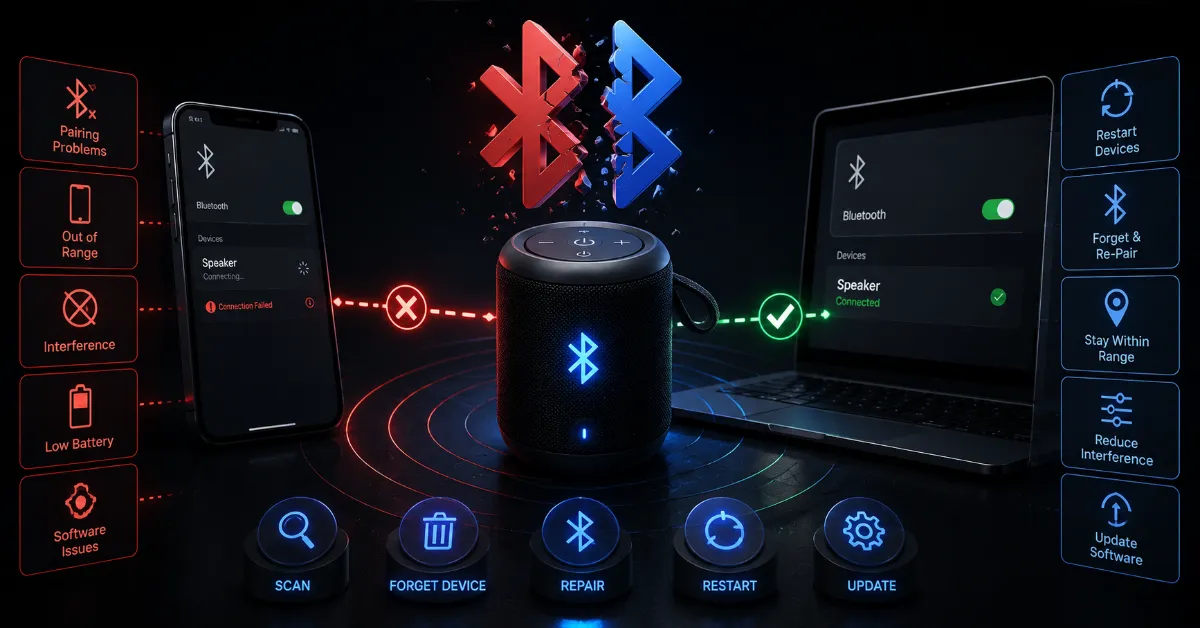
The most common issue involves the device handshake. If your speaker is struggling to connect, the first step is always to clear the pairing cache on both your source device and the speaker itself. Bluetooth devices often hold onto residual connection data that can cause conflicts when trying to establish a new link. By performing a hard reset on the speaker and 'forgetting' the device in your phone settings, you essentially force a clean handshake.
Environmental Interference Factors
- Wi-Fi Conflict: Bluetooth and Wi-Fi often share the same 2.4GHz frequency, leading to congestion.
- Physical Obstructions: Walls and large furniture can significantly dampen the signal strength of Class 2 Bluetooth devices.
- Distance: Most speakers are optimized for a range of thirty feet, but real world performance varies based on signal noise.
The Role Of Firmware Updates
Many users overlook the firmware status of their audio gear. Manufacturers frequently release updates to improve connectivity stability and fix bugs related to specific operating system versions. If your app store indicates a companion app exists for your speaker, download it immediately to check for pending firmware updates. These software patches often include critical stability improvements that are invisible to the average user.
A Systematic Troubleshooting Approach
If you are still experiencing issues, consider the interference in your immediate vicinity. If your speaker is sitting right next to a wireless router or a microwave, move it to a different location. The sheer volume of radio signals in modern homes is unprecedented, and sometimes, a simple physical move is all that is required to improve your audio quality and connection reliability.
The Bottom Line
Wireless audio is convenient, but it requires a basic understanding of network hygiene to function optimally. By keeping your device firmware updated, reducing interference from other electronics, and occasionally resetting your pairing history, you can ensure your speakers remain a reliable part of your entertainment setup rather than a technical headache.